 Cloudflare Tunnel Manager
Cloudflare Tunnel Manager
Cloudflare Tunnel Manager
A lightweight desktop interface and Go background daemon to manage containerized Cloudflare Access TCP tunnels with auto-authentication, tray integrations, and unified logs.
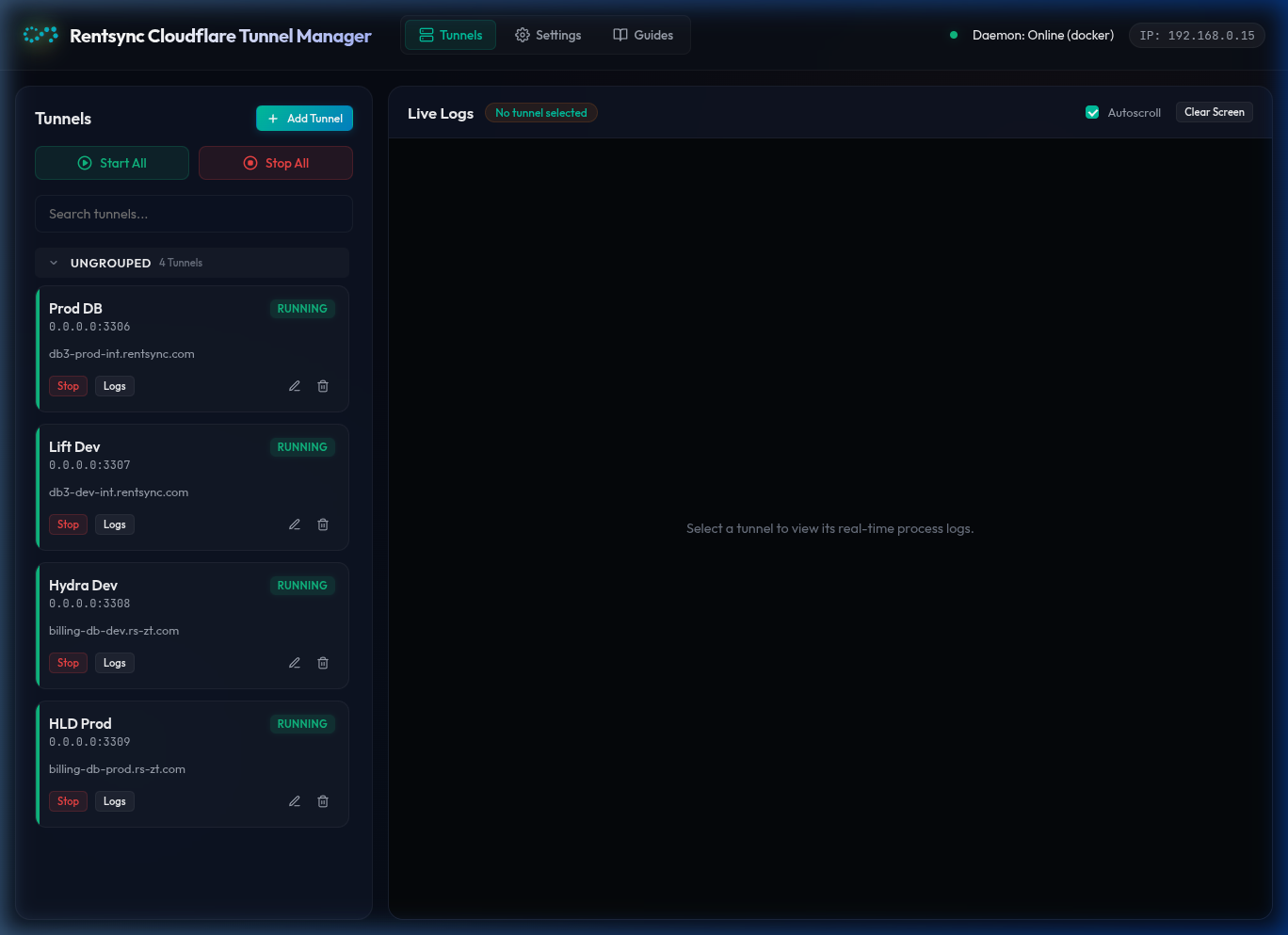
No more complex terminal wrappers or copy-pasting login links. Everything you need in one secure portal.
Tunnels run inside isolated Docker or Podman containers. Automatically cleans up orphaned instances without polluting your local system packages.
Monitors daemon logs for Cloudflare Access authentication URLs. Automatically triggers your host browser to complete the login sequence instantly.
Aggregate real-time terminal output for individual tunnels or custom groups. Quickly trace errors, connection issues, or authentication updates.
Integrates directly into your desktop system tray. Minimize the window and start/stop individual database environments or custom groups in two clicks.
Take a closer look at the key views and tools inside the Rentsync Cloudflare Tunnel Manager application.
Run our single-command automated installer. It will verify your Go and Node environments, compile the background daemon, build the Tauri UI, setup systemd services, and configure the desktop launcher entry automatically.
Prefer to configure files manually? Download pre-built binaries for your specific environment.
Tauri v1 utilizes WebKitGTK 4.0, which has been removed from Ubuntu 24.04 package archives. To use GUI native tray modes, please run on LTS 20.04 or 22.04.
Fully compatible across all systemd Linux distributions running Docker/Podman. Ubuntu 24.04+ users can run the daemon and connect using their browser at http://localhost:12000.
Everything you need to configure and optimize the Tunnel Manager.
Ensure your Linux environment is configured correctly to run the background service and manage docker containers.
docker group).systemctl --user daemon-reload~/.config/rentsync-cf-tunnels/cloudflared/. Do not delete this directory once authenticated.If you run the Go daemon inside a WSL 2 instance, browser launches can fail because of missing GUI display forwarding. The Tunnel Manager includes a system display scanner to fix this automatically.
/proc to discover variables like DISPLAY, WAYLAND_DISPLAY, and DBUS_SESSION_BUS_ADDRESS.wslview to trigger your Windows host browser. If not installed, install it using:
sudo apt-get install wsl-harvest wsluCommon issues and how to resolve them quickly:
ss -lntp | grep -E "12000|12001"docker rm -f cf-tunnel-<label-name>rm -rf ~/.config/rentsync-cf-tunnels/cloudflared/*-token